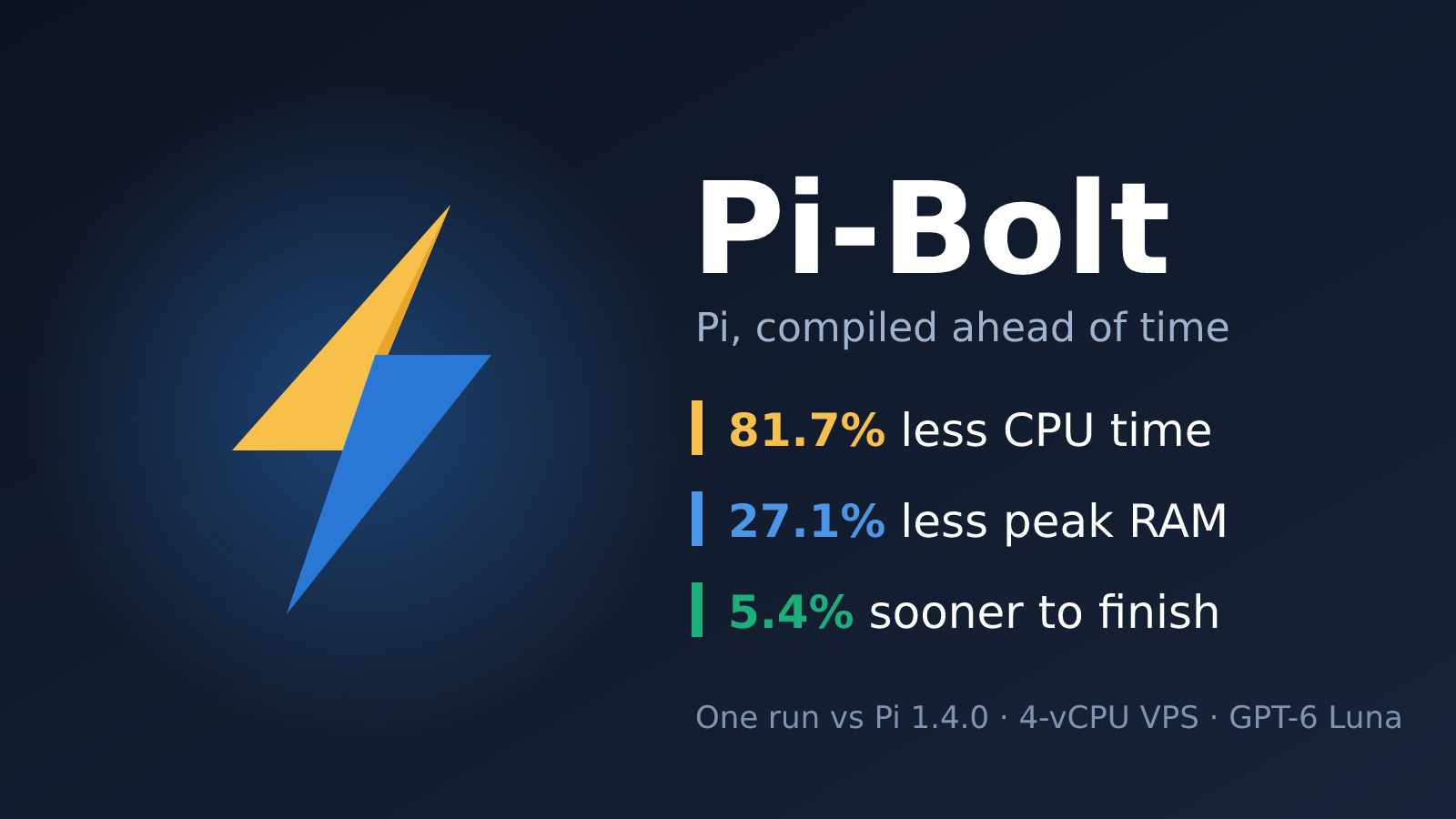
I’ve been running Pi as my coding agent harness on a small VPS for a while now. Then Pi-Bolt showed up: a fork of Pi that compiles the whole thing ahead of time into one native executable. Same Pi, same commands, same sessions and extensions, just no Node.js or JIT at launch.
The project makes some big claims about CPU and memory, so I wanted to see what it looks like on my own box, with a real (if tiny) coding task. I ran Pi and Pi-Bolt on the same task, with the same model, thinking level and user prompt. The agents ran sequentially, not concurrently.
Quick answer: is Pi-Bolt lighter than Pi?#
In this single run, Pi-Bolt used 81.7% less local CPU time and 27.1% less peak RAM than Pi, and finished the task 5.4% sooner. Both agents produced identical, correct output.
| Metric | Pi 1.4.0 | Pi-Bolt 1.0.0 | Difference |
|---|---|---|---|
| Total CPU time | 1.262 s | 0.231 s | 81.7% less |
| Peak RAM | 120.14 MiB | 87.63 MiB | 27.1% less |
| Completion time | 8.291 s | 7.841 s | 5.4% sooner |
These are exploratory results, not a statistically rigorous benchmark. One run each, on one VPS. The limitations are spelled out further down.
What is Pi-Bolt?#
Pi-Bolt is an independent fork of the Pi coding agent, forked at Pi’s v1.4.0 tag and compiled ahead of time (AOT) to native code. It is not affiliated with Pi’s authors. Instead of parsing and JIT-compiling JavaScript every time it starts, every function is compiled to machine code when the executable is built. It ships as one binary for Linux x86-64 and ARM64 (including Android in Termux), macOS on Apple silicon and Windows x64, and it does not need Node.js or Bun installed.1
It installs next to Pi as pi-bolt, so both can stay installed, and it reads your existing Pi configuration in ~/.pi/agent as is. That made it easy to compare the two side by side on the same machine.
The project’s own benchmarks claim much bigger numbers than mine (for example 7.1x less CPU over an interactive session and 4.5x less memory after 40 prompts), but those measure longer sessions and streaming.1 My test is a short, one-shot task, which is a different and much smaller workload.
Server specifications#
Both agents ran on the same KVM virtual machine:
| Component | Configuration |
|---|---|
| CPU allocation | 4 vCPUs |
| Reported host CPU | AMD EPYC 7551 32-Core Processor |
| Virtualization | KVM, x86-64 |
| RAM | Approximately 4 GB; 3.76 GiB visible to Linux |
| Swap | 2 GiB configured |
| Root filesystem | Approximately 40 GB |
| Operating system | Debian GNU/Linux 13.7 “trixie” |
| Kernel | 6.12.113+deb13-cloud-amd64 |
| Node.js | v26.12.1 |
| Python | 3.13.5 |
The CPU model is what the VM exposes; this was not a dedicated 32-core machine. The benchmark had four virtual CPUs available.
Some swap was occupied when the server specifications were collected afterward. Swap activity and other background server activity were not monitored during the benchmark.
Software versions#
| Agent | Reported version |
|---|---|
| Pi | 1.4.0 |
| Pi-Bolt | 1.4.0 (Pi-Bolt 1.0.0, linux-x64, JIT off) |
Pi-Bolt 1.0.0 is built on Pi 1.4.0, so both runs used the same underlying Pi release. This comparison used the installed Linux x64 build, which reported that JIT was disabled.
The generated JavaScript programs were executed with the same system Node.js installation.
Model tested#
The comparison used:
- Provider:
openai-codex - Model:
gpt-6-luna - Thinking level:
high
Both agents used the same provider, model ID and requested thinking level.
The task#
Each agent had to create a standalone task.mjs file that:
- Calculates the sum of squares from 1 through 1,000,000, inclusive.
- Uses a BigInt loop, not a closed-form formula.
- Prints exactly three Lorem Ipsum paragraphs.
- Inserts the calculated result into the middle paragraph.
- Runs the script to verify it.
- Finishes with a short confirmation.
The exact user prompt was:
Create task.mjs in the current directory using only Node.js built-ins. Calculate the sum of squares of all integers from 1 through 1000000 inclusive using a BigInt loop (not a closed-form formula). Print exactly three paragraphs separated by a blank line. Each paragraph uses this exact text: Lorem ipsum dolor sit amet, consectetur adipiscing elit. Sed do eiusmod tempor incididunt ut labore et dolore magna aliqua.
In the second paragraph, insert the calculated value halfway through, between the first sentence and 'Sed', formatted as Result: <value>. Do not put the result in either other paragraph. Run node task.mjs once to verify it. Do not create any other files. Finish with only Done.
Both agents generated this calculation:
let sum = 0n;

for (let i = 1n; i <= 1000000n; i++) {
  sum += i * i;
}
The surrounding string construction differed slightly, but their printed output was identical.
Test procedure#
The execution order was:
- Pi
- Pi-Bolt
Each agent ran in a separate working directory with a fresh, non-persisted session.
To reduce unrelated configuration overhead, the runs disabled:
- Extensions
- MCP connections
- Skills
- Context-file discovery
- Prompt templates
- Themes
- Automatic startup network operations
Both agents had the same four tools enabled:
read,bash,edit,writeThe CLI invocation followed this pattern:
pi \
  --provider openai-codex \
  --model gpt-6-luna \
  --thinking high \
  --print \
  --mode json \
  --no-session \
  --no-extensions \
  --no-mcp \
  --no-skills \
  --no-context-files \
  --no-prompt-templates \
  --no-themes \
  --offline \
  --tools read,bash,edit,write \
  "$PROMPT"
The second run used the same arguments with pi-bolt instead of pi.
Despite the flag’s name, --offline disables automatic startup network operations; it does not prevent the requested model API calls.
Both agents followed the same tool sequence: write the file, execute it with Bash, then return a final response.
How resource usage was measured#
A Python runner launched each CLI and collected its resource usage using Linux os.wait4().
CPU time#
CPU time is the sum of:
user CPU time + system CPU timeThis measures local CPU consumption, not the remote infrastructure running the language model. The accounting includes waited-for child-process usage reported by the OS.
Average CPU utilization#
Average CPU utilization was calculated as:
CPU time / elapsed wall time × 100Here, 100% means one fully utilized CPU core, not the entire four-vCPU server.
Peak RAM#
Memory is the OS-reported peak resident set size, converted from KiB to MiB.
It is not a sum of every process’s simultaneously resident memory, and it does not represent remote model memory usage.
Completion time#
Wall-clock time was measured from launching the CLI until it exited. It includes:
- CLI startup
- Model/API waiting
- Tool execution
- Running the generated script
- Final response and shutdown
The runner then independently executed each generated script to check its output. That extra verification was outside the measured agent completion time.
Results#
One run per agent:
| Metric | Pi | Pi-Bolt | Pi-Bolt reduction |
|---|---|---|---|
| User CPU time | 1.123 s | 0.180 s | n/a |
| System CPU time | 0.139 s | 0.051 s | n/a |
| Total CPU time | 1.262 s | 0.231 s | 81.7% |
| Average CPU utilization | 15.22% | 2.95% | n/a |
| Peak RAM | 120.14 MiB | 87.63 MiB | 27.1% |
| Completion time | 8.291 s | 7.841 s | 5.4% |
| Output verification | Passed | Passed | n/a |
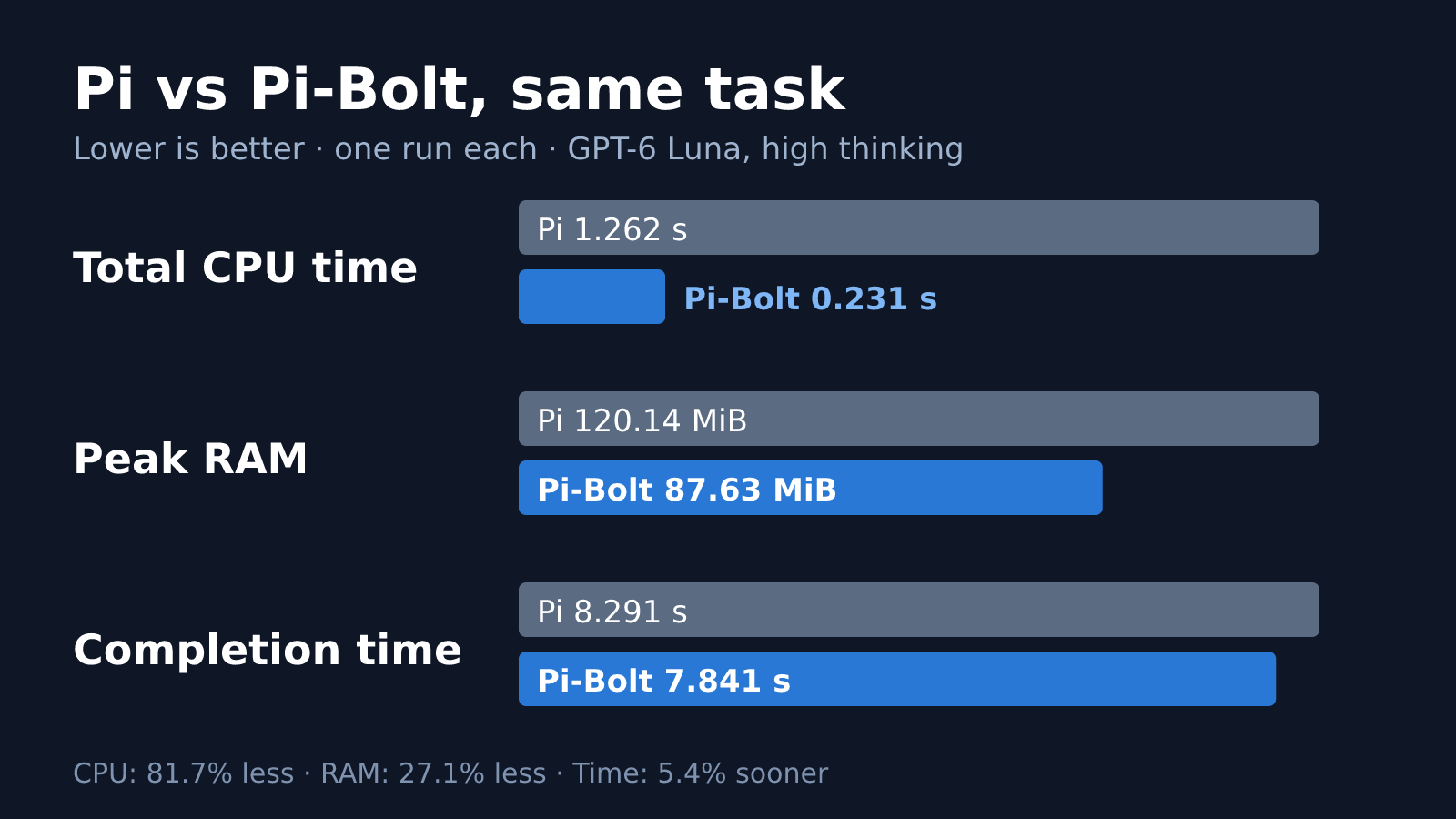
Pi-Bolt consumed approximately 5.46x less CPU time in this run. It also used approximately 32.51 MiB less peak RAM and finished about 0.45 seconds sooner.
Output correctness#
Both scripts printed the correct result:
333333833333500000Their complete output was identical:
Lorem ipsum dolor sit amet, consectetur adipiscing elit. Sed do eiusmod tempor incididunt ut labore et dolore magna aliqua.

Lorem ipsum dolor sit amet, consectetur adipiscing elit. Result: 333333833333500000 Sed do eiusmod tempor incididunt ut labore et dolore magna aliqua.

Lorem ipsum dolor sit amet, consectetur adipiscing elit. Sed do eiusmod tempor incididunt ut labore et dolore magna aliqua.
Independent verification confirmed three paragraphs, the correct result in the second paragraph, and no result marker in the first or third.
Important limitations#
This test has several limitations:
- Only one run per agent. There are no medians, confidence intervals or variance estimates.
- Fixed execution order. Pi ran first, so filesystem caches and other order effects were not controlled.
- Network and model latency affect completion time. The 0.45-second difference cannot confidently be attributed to the harness alone.
- The user prompt matched, but the full requests were not identical. Agent-specific system prompts, generated code, token usage and provider-side cache behavior differed.
- High thinking does not guarantee equal reasoning work. Both requested the same setting, but model behavior varied.
- This was a minimal CLI configuration. It does not measure interactive TUI performance or a typical setup with extensions and MCP servers.
- Peak RSS is not aggregate process-tree memory.
- Background load and swap activity were not controlled.
- This is an agent-task benchmark, not an isolated JavaScript arithmetic benchmark. Both generated programs ran under the same Node.js runtime.
A stronger follow-up would repeat the task many times, alternate execution order, record background load, and report median and percentile results. A separate no-model startup benchmark would help isolate runtime overhead from API variability.
FAQ#
Is Pi-Bolt a different coding agent from Pi?#
No. Pi-Bolt is Pi compiled ahead of time into a native executable. It keeps the same commands, sessions, settings, providers and extensions, and this build reported itself as Pi 1.4.0 underneath.1
Does Pi-Bolt make the model respond faster?#
Not really. The model runs on the provider’s servers, so most of the completion time is waiting on the API. In my run, local CPU dropped by 81.7%, but end-to-end time only improved by 5.4%, which fits that picture.
Who benefits most from Pi-Bolt?#
Anyone running Pi on small machines: cheap VPSes like mine, ARM boards, Termux on Android, or a laptop where you would rather keep CPU and battery for other things. Less local CPU and RAM per agent also helps if you run several agents at once.
Do I need Node.js to run Pi-Bolt?#
No, Pi-Bolt itself runs without Node.js or Bun.1 In this test I still used the system Node.js, but only because the task asked the agent to write and run a .mjs script.
Conclusion#
For this small coding task, Pi-Bolt showed substantially lower local CPU consumption and a lower peak memory footprint than Pi.
End-to-end completion time was much closer: 7.841 seconds versus 8.291 seconds. That is consistent with a workflow where remote model interaction accounts for much of the elapsed time.
The takeaway is promising but narrow: Pi-Bolt was lighter locally in this run, while both agents completed the same task correctly. More repetitions are needed before treating the completion-time difference as a reliable performance advantage. On a 4 GB VPS though, I’ll take the lower footprint.
opensec-git/Pi-Bolt on GitHub, README and benchmarks, reviewed for this post. ↩︎ ↩︎ ↩︎ ↩︎